
Photo by Vitaly Gariev on Unsplash
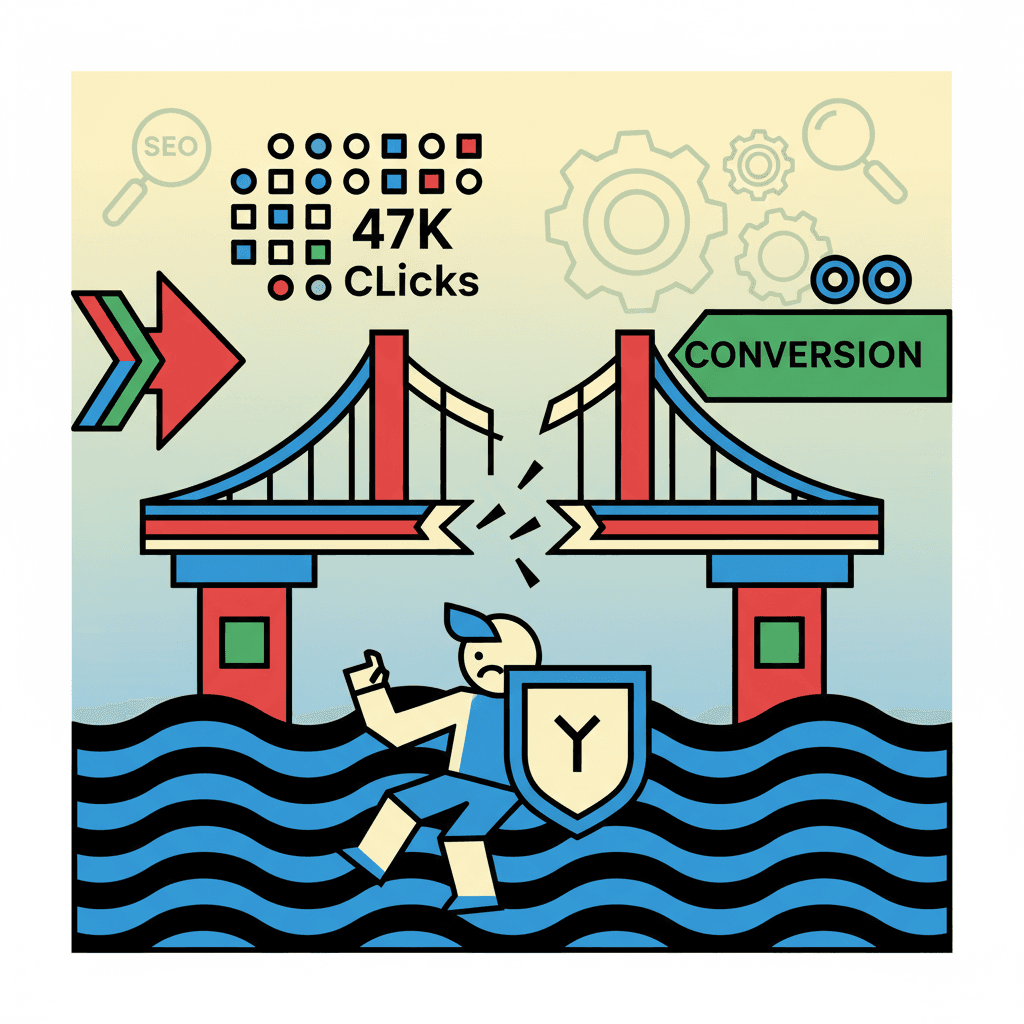
47,000 clicks on your Instagram bio last year. 2% conversion to email subscribers. €94 in sales. See the problem?
Your link page makes noise but doesn't convert. Your followers click, look for 10 seconds, and leave without sharing their email.
TL;DR: Linktree and standard link pages don't capture emails intelligently. With an optimized bio page and behavioral Smart Capture, you go from 2% to 15% visitor → subscriber conversion.
Why Linktree isn't enough for creators in 2026#

Photo by The Design Lady on Unsplash
Linktree, launched in 2016, was already well-established when creators started exploding. In 2026, it's become a barrier to your growth.
The problem with passive link pages#
Linktree displays your links. Period. The visitor clicks, consumes your content for free, and disappears. No email capture, no nurturing sequence, no monetization.
The classic Linktree flow:
- Visitor arrives on your bio
- Clicks on a YouTube/blog link
- Consumes your content for free
- Leaves without providing their email
- You lose them forever
Result: You're feeding other platforms' algorithms instead of building your own audience.
Average conversion rate comparison#
| Method | Visitor → email conversion rate | Revenue generated |
|---|---|---|
| Standard Linktree | 1-3% | Very low |
| Link page + popup | 8-12% | Medium |
| Optimized Smart Capture | 12-18% | High |
| Complete optimized page | 15-25% | Very high |
The 3 fatal flaws of Linktree#
1. Zero email capture: No system to collect interested visitors' contact details.
2. No conversion funnel: No strategy to transform a cold visitor into a warm prospect then into a customer.
3. Limited analytics: You know how many people clicked, but not who they are or how to re-engage them.
The 8 elements of a link page that actually converts#

Photo by Claudio Schwarz on Unsplash
A high-performing link page doesn't list your content. It builds a conversion funnel.
1. Immediate visual hook (optimized header)#
Your visitor decides in 3 seconds whether to stay. Your header must answer: "What do you do and why should I care?"
Bad example: "Business coach - Follow me on YouTube" Good example: "I help 2000+ creators go from €500 to €5000/month | 📹 New strategies every Tuesday"
2. Strategic link hierarchy#
The order of your links influences clicks. Place first what brings the most value to your business:
- Lead magnet (ebook, free training)
- Newsletter (direct signup)
- Flagship product (your best offer)
- Recent content (latest video/article)
- Social media (at the bottom)
3. Links with magnetic CTAs#
Instead of "My YouTube," write "📹 Strategies tested this week." Instead of "My ebook," write "🎁 Free guide: 0→1000 subscribers in 90 days."
4. Intelligent capture system#
Smart Capture analyzes visitor behavior. If they click 3+ times or stay 15+ seconds, they see a non-intrusive signup form appear.
5. Highlighted digital products#
Your courses, ebooks, templates must be visible with price and description. Don't hide what you're selling.
6. Integrated social proof#
Add testimonials, subscriber counts, or client results directly on your page.
7. Consistent brand design#
Colors, fonts, visual style: your link page must be recognizable as YOUR universe.
8. Detailed analytics#
You need to know which link performs, where your visitors come from, and how many convert to emails.
Smart Capture: capturing emails without being intrusive#

Photo by 1981 Digital on Unsplash
Smart Capture revolutionizes email capture. No more popups that appear on arrival and scare away 70% of visitors.
How behavioral capture works#
The system analyzes:
- Number of visitor clicks
- Time spent on page
- Links consulted
- Scroll behavior
When the threshold is reached (example: 3 clicks + 10 seconds), an elegant form appears: "You seem interested in my content. Receive my best strategies by email?"
Optimal Smart Capture configuration#
| Parameter | Recommended value | Why |
|---|---|---|
| Click threshold | 3 clicks | Proves real interest |
| Minimum time | 15 seconds | Avoids quick bounces |
| Form title | "My best strategies by email" | Clear benefit |
| Button CTA | "I want to receive them" | Positive action |
Compared conversion rates#
Classic popup (immediate): 3-5% conversion, 70% bounce rate Smart Capture (behavioral): 12-18% conversion, reduced bounce rate
The difference? The visitor has already proven their interest before seeing the form.
Automatic post-capture sequence#
Once the email is captured, the new contact automatically enters a welcome sequence:
- Immediate email: delivery of promised lead magnet
- Day +1: personal introduction and best content
- Day +3: case study or client testimonial
- Day +7: soft presentation of your flagship product
Essential widgets: links, digital products and forms#

Photo by Detail .co on Unsplash
A high-performing link page combines several widget types to maximize conversions.
Custom Links widget#
Features:
- Clickable URLs with click tracking
- Custom CTAs (not just the site name)
- Icons and emojis to catch the eye
- Internal and external links
Concrete example:
- ❌ "My blog"
- ✅ "📝 My 3 latest articles on monetization"
Digital Products widget#
Advantages:
- Display with price and image
- Integrated buy button
- Direct Stripe checkout or external redirect
- Conversion tracking
Suitable product types:
- Ebooks and PDF guides
- Video courses
- Templates and resources
- Individual coaching
- Physical products (with external link)
Newsletter Form widget#
Direct signup form without Smart Capture. Ideal for visitors who want to subscribe immediately.
Optimizing elements:
- Title with clear benefit
- Description of what they'll receive
- Sending frequency mentioned
- Action CTA ("I subscribe" vs "Sign up")
Social Links widget#
To direct to your different social profiles, but place at the bottom of the page. The goal is to keep the visitor on YOUR page, not send them elsewhere.
8 visual themes to match your brand#

Photo by Mariia Shalabaieva on Unsplash
The visual identity of your link page must be consistent with your brand universe.
The 8 available themes#
| Theme | Style | Ideal for |
|---|---|---|
| Dark | Black background, white text | Tech, gaming, design |
| Light | White background, soft colors | Lifestyle, wellness |
| Sunset | Orange/pink gradient | Creatives, artists |
| Ocean | Blues and greens | Business, finance |
| Forest | Natural greens | Ecology, nature |
| Minimal | Pure white | Professionals |
| Neon | Bright colors | Young audience |
| Warm | Warm tones | Personal, coaching |
Advanced customization#
Colors: Customize primary and secondary colors to match your brand Typography: Consistency with your other communication materials Spacing: Adapt density according to your content
Custom domain#
Instead of yeemel.com/p/yourname, use links.yoursite.com. This reinforces your credibility and branding.
Configuration:
- Own a domain (e.g., mysite.com)
- Add a subdomain (links.mysite.com)
- Configure DNS according to instructions
- Automatic verification within 24h
Integrating your link page into your complete strategy#

Photo by Austin Distel on Unsplash
Your link page isn't an isolated tool. It integrates into your creation and monetization ecosystem.
The complete conversion funnel#
Step 1: Acquisition
- Content on YouTube/Instagram/TikTok
- Optimized bio directing to your link page
- End-of-video CTA: "Everything's in my bio"
Step 2: Cold conversion
- Visitor arrives on your link page
- Clicks on your content (videos, articles)
- Smart Capture detects interest
- Signup form appears
Step 3: Nurturing
- Welcome email with lead magnet
- Automatic sequence of 5-7 emails
- Value content + soft presentation of your products
Step 4: Warm conversion
- Proposal of your flagship product
- Testimonials and social proof
- Limited-time offer
Integration with your newsletter#
Your link page and newsletter work in tandem:
- Page → Email: capture via Smart Capture
- Email → Page: redirect to your products
- Content → Page: CTAs in your newsletters to your bio
Synergy with your digital products#
Each product displayed on your link page can trigger a specific sequence:
- Click on course → Tag "interested in course" → Dedicated sequence
- Ebook download → Tag "lead magnet" → Nurturing towards paid product
- Product purchase → Tag "customer" → Post-purchase sequence + upsell
Creating your first optimized link page with Yeemel#

Photo by Zulfugar Karimov on Unsplash
Here's the step-by-step process to create a converting page.
Step 1: Basic setup (5 minutes)#
- Yeemel registration: Free account to start
- Username choice:
yeemel.com/p/yourname - Profile photo upload: high-quality image, consistent with your networks
- Bio writing: 1-2 sentences explaining what you do + benefit
Step 2: Adding widgets (10 minutes)#
Header widget:
- Name + clear description of your activity
- Credibility numbers if you have them (subscribers, clients, etc.)
Essential Links widget:
- Lead magnet (free ebook, mini-course)
- Newsletter (direct signup)
- Latest content (recent YouTube video)
- Flagship product (course, coaching)
Smart Capture widget:
- Threshold: 3 clicks + 15 seconds
- Title: "My best strategies by email"
- Description: "Receive my tested techniques weekly"
Step 3: Smart Capture configuration (5 minutes)#
| Parameter | Recommended value |
|---|---|
| Minimum clicks | 3 |
| Minimum time | 15 seconds |
| Title | "Want my best strategies?" |
| Description | "Weekly email with tested techniques" |
| Button CTA | "Yes, I want to receive them" |
Step 4: Adding digital products (10 minutes)#
If you have products to sell:
- Product image upload (square format recommended)
- Catchy title (benefit, not feature)
- Clear price
- Short description (2-3 lines max)
- Sales link (Gumroad, Stripe, etc.)
Step 5: Visual customization (5 minutes)#
- Theme choice according to your universe
- Custom colors if needed
- Mobile test (80% of traffic)
Step 6: Test and optimization (ongoing)#
- Add to your bios Instagram, YouTube, TikTok
- Analytics tracking first week
- Smart Capture threshold adjustment if needed
- CTA A/B testing after 100 visitors
Measuring and optimizing your bio page conversions#
Without measurement, optimization is impossible. Here are the KPIs that matter.
Main metrics to track#
Traffic:
- Daily page views
- Unique visitors
- Traffic sources (Instagram, YouTube, etc.)
Engagement:
- Average time on page
- Click-through rate per link
- Top-performing links
Conversion:
- Visitor → email conversion rate
- Email → sale conversion rate
- Revenue generated by the page
Analytics dashboard#
| Metric | Good benchmark | Excellent benchmark |
|---|---|---|
| Email conversion rate | 8-12% | 15%+ |
| Time on page | 45s | 1min30+ |
| Main link CTR | 25% | 40%+ |
| Revenue/100 visitors | €5 | €20+ |
Priority optimization tests#
Test 1: Smart Capture threshold
- Version A: 2 clicks + 10s
- Version B: 4 clicks + 20s
- Measure: final conversion rate (email + sale)
Test 2: Main CTA
- Version A: "Download my free guide"
- Version B: "Get my 0→1000 subscribers method"
- Measure: click rate
Test 3: Link order
- Version A: Newsletter first
- Version B: Lead magnet first
- Measure: total conversions
Data-based optimizations#
If your conversion rate is <5%:
- Check your Smart Capture (threshold too high?)
- Improve your value proposition
- Test a more attractive lead magnet
If your clicks are low:
- Rephrase your CTAs (benefit vs feature)
- Change the order of your links
- Add emojis/icons
If your time on page is short (<30s):
- Improve your header hook
- Simplify your page (fewer links)
- Check consistency with your social media promise
FAQ#
How many link pages can I create?#
Most platforms offer multiple pages depending on pricing plans. Free plans generally include 1-2 pages, while paid plans allow more.
Does Smart Capture work on mobile?#
Yes, Smart Capture adapts perfectly to mobile with a touch-optimized form. 80% of visitors come from mobile, it's a design priority.
Can I use my own domain?#
With a custom domain, your page becomes links.yoursite.com and integrates perfectly into your web ecosystem. This option is generally available on paid plans.
What types of products can I sell?#
All types: ebooks, courses, coaching, templates, physical products. Payment is done via integrations (Stripe) or redirect to your external checkout (Gumroad, etc.).
Are the analytics detailed?#
Basic stats (clicks, views) are available on free plans. Advanced analytics (traffic sources, conversion per link, CSV export) often require a paid plan.
Your current link page lets 95% of your visitors slip away without capturing their email. With an optimized page and Smart Capture, you transform these lost visitors into owned audience.
Creating your first optimized link page takes 15 minutes. You can start for free, test for 2 weeks, and see the difference in your conversions.
Every visitor who leaves without subscribing is a potential lost customer. Your link page is your conversion net. It's time to optimize it.
Try Yeemel for free and transform your visitors into subscribers today.
Related articles
Creator Link Page: +47% Conversion vs Linktree
You create content, direct your followers to your Linktree page, and... they vanish. Most creators live this frustration: thousands of clicks, but almost zero emails collected
Read10 Mistakes That Send Your Newsletters to Spam
You send 1,000 emails and only 200 reach the inbox. The other 800 disappear into spam, invisible. You're losing 80% of your audience without even knowing it.
Read500 Subscribers = $0? Here's How to Earn Through Newsletter Sponsorship
You're publishing a newsletter to 500 subscribers and making $0 from it? Meanwhile, creators with 2,000 subscribers generate $1,500/month through sponsorship. Discover the difference.
Read